A media plan you can work with, before you sign in.
ArcPlanner brings the campaign brief, budget, channel mix, and planning assumptions into one workspace. Here’s a short tour of the system we built and operate.
Guest drafts stay in your browser. Sign in when you want cloud saving. Some features require a paid plan; see current product pricing.
The problem we built around
A budget changes in the brief, someone revises a spreadsheet, and someone else updates the pitch. Each handoff creates another version to reconcile. The useful unit of work is the plan itself, with its inputs and assumptions kept together.
What the software changes
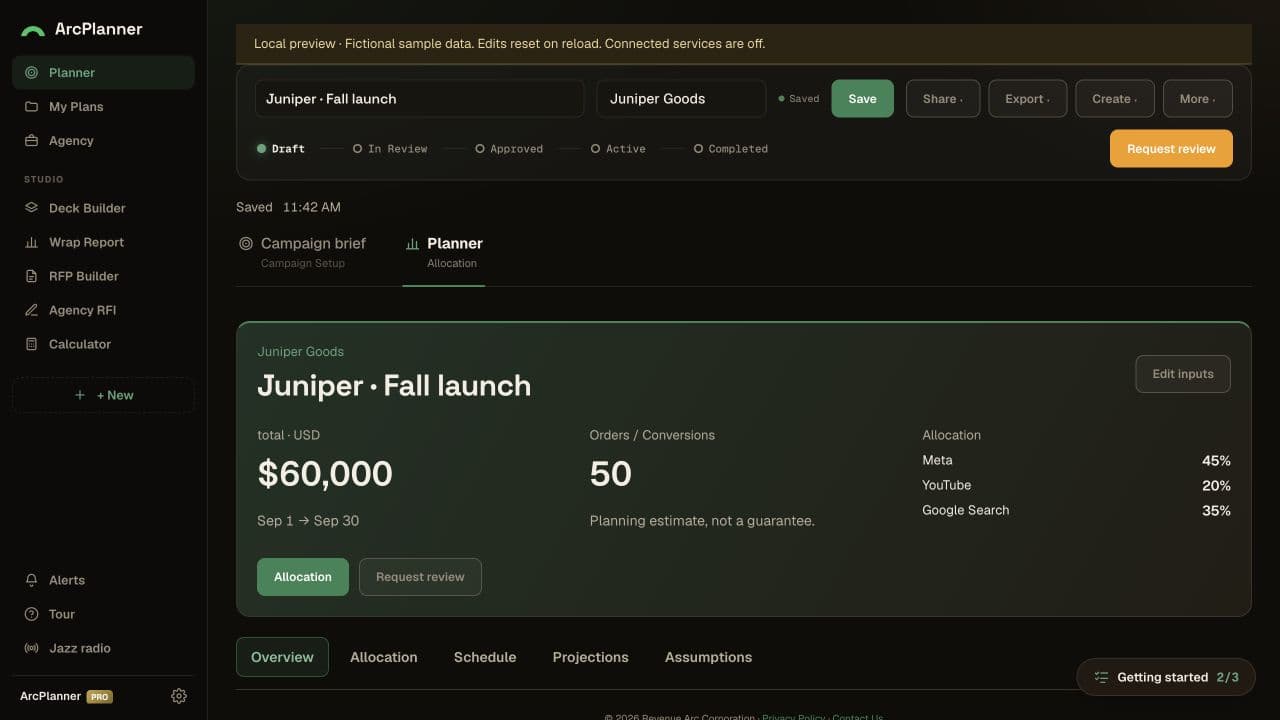
The brief and allocation sit in the same application. Planners can change budget and channel weights, inspect the resulting estimates, and keep a draft before setting up an account. The visible result is a working planning flow you can inspect yourself.
Try the workflow.
Open ArcPlanner alongside this guide. Use a fictional brief while exploring; these steps do not launch paid media.
- 01
Set the brief
In Campaign brief, choose a daily budget, dates, industry, objective, and markets. Replace the editable starting example with your own assumptions.
- 02
Compare the mix
Choose Continue to Plan. Review channel allocation, adjust weights and flight length, and inspect the totals. Treat estimates as assumptions to challenge.
- 03
Keep the useful version
Continue working in your browser. Use Save to your account when you want account saving. Review the applicable plan before using paid features.
What this example demonstrates
A complete task before registration
The guest flow gives users a working draft. Account saving follows a reason to return, rather than being the first task on the screen.
Assumptions that remain visible
Budget, duration, allocation, and projections stay connected. A forecast is useful when a planner can see what it depends on and revise those inputs.
The public guest flow was reviewed on September 7, 2026. The image above is the product’s published sample preview. This walkthrough demonstrates functionality; it does not claim a measured time saving, campaign lift, or client endorsement.
What workflow would you bring together?
Show us the tools, handoffs, and repeated work. We’ll discuss the smallest useful system and how you would know it helped.
Discuss a build